Full page screenshots
Made .

Capture entire web pages with a single click. No complex settings, no missing content, no hassle.

Privacy-first • 100% free • Works on any website

Everything you need.

Nothing you don't.

One-Click Capture

Click the extension icon and capture. That's it. No configuration, no learning curve.

Full Page Coverage

Captures everything, fixed headers, infinite scroll. No content left behind.

Privacy First

Everything happens locally on your device. No data collection, tracking, or external servers.

Preview Before Download

See your screenshot before saving. Make sure it’s perfect, in tno surprises, no wasted clicks.

Smart Detection

Automatically validates page compatibility and dimensions before capture. No surprises.

Annotate & Share

Add comments and markers to screenshots before saving. Perfect for feedback and collaboration.

Four steps to perfect screenshots.

STEP 1

Navigate to any webpage

Open the page you want to capture in Chrome. LongShot works with news sites, documentation, blogs, and complex web applications.
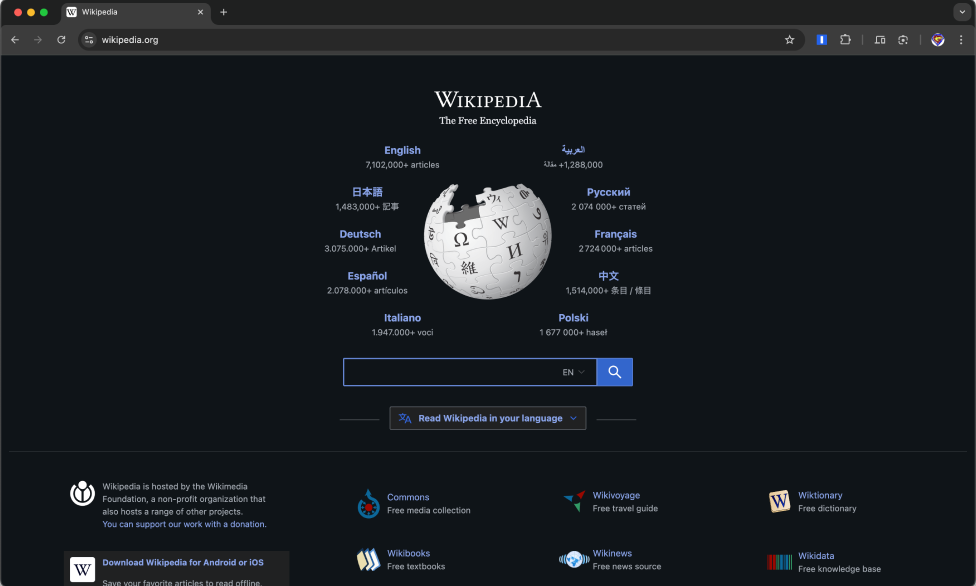
Step 1 - Navigate to webpage
STEP 2

Click the extension icon

LongShot analyzes the page automatically and captures the full page. Watch the progress bar as it works.
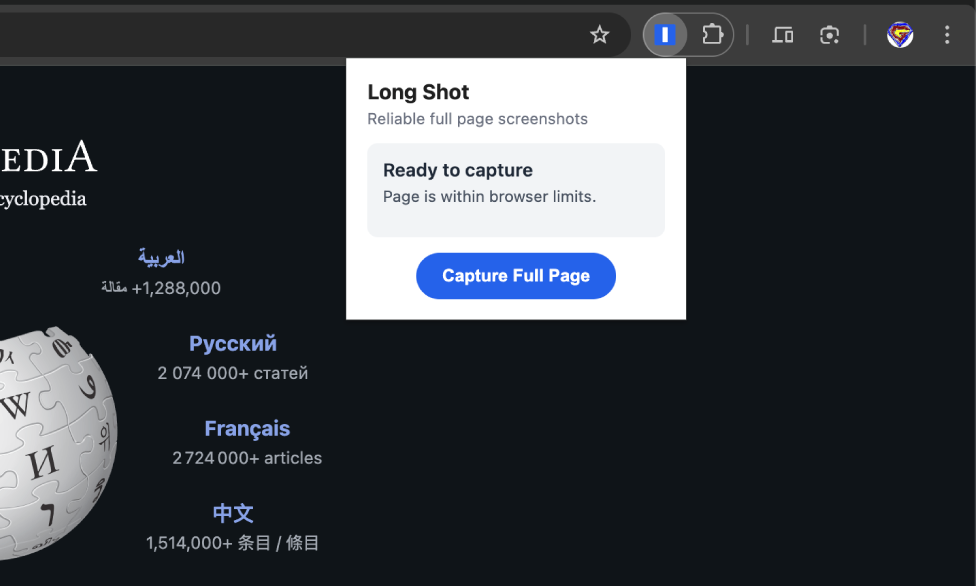
Step 2 - Click extension icon
STEP 3

Preview & Download

Preview your screenshot before downloading. For very long pages, LongShot automatically splits your capture into multiple images.
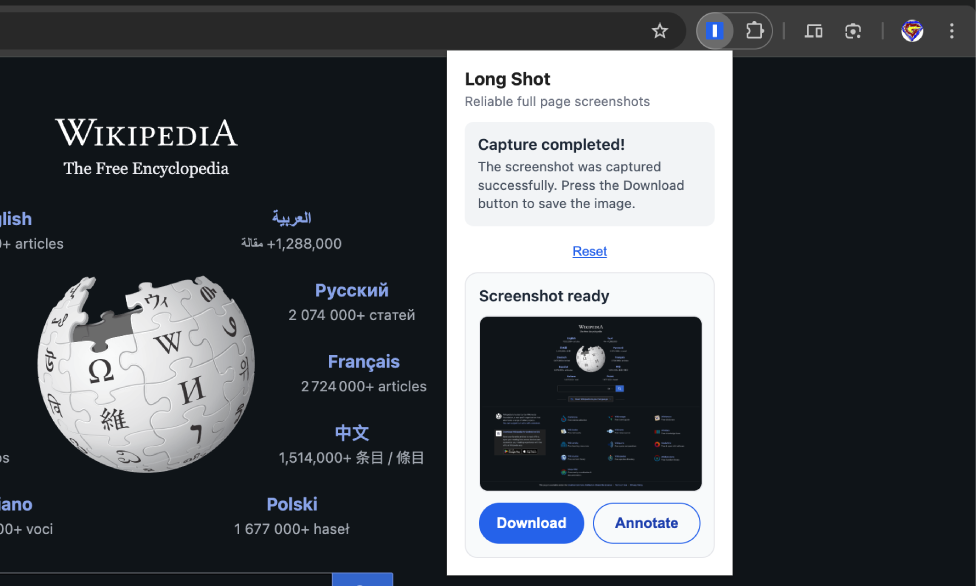
Step 3 - Preview and download
STEP 4

Annotate your screenshot

Click anywhere to add text boxes with your notes. Perfect for sharing feedback or documenting issues before downloading.

Step 4 - Annotate screenshot

Perfect for everyone.

Web Designers & Developers

Capture full designs for documentation and client presentations.

Perfect for design reviews and responsive testing.

Researchers & Students

Complete page captures for research and reference materials.

Never miss content in long articles or documentation.

Content Creators

Share full webpage content for tutorials and social media.

Professional-quality captures every time.

Business Professionals

Document web-based processes for training and compliance.

Reliable screenshots for reports and presentations.

Your privacy is our priority.

No tracking. No data collection. No external servers.

Zero Data Collection

We don't track your behavior or browsing activity.

100% Local Processing

All screenshots processed on your device only.

Minimal Permissions

Only essential Chrome APIs for core functionality.

No External Servers

Your data never leaves your browser.

Read our full Privacy Policy →

Ready to capture perfect screenshots?

Join thousands of professionals who trust LongShot.

Add to Chrome - It's Free

No tracking • Lightweight • No ads